Appearance
Usage
The ServiceNow SMS connector supports multiple integration methods: workflow spokes, scripting, and direct API calls. This guide covers how to send and receive SMS messages in your ServiceNow instance. ServiceNow messaging features work seamlessly across all supported vendors including Sinch Engage, MessageMedia, OneNZ MultiTXT, Spark eTXT, 2Degrees GroupText, TPG Telecom Messaging Hub, and Marquire telecom notify now, with complete feature parity and easy configuration.
Integration
Flows
In ServiceNow Workflow Studio create or modify the flow/subflow you would like to add SMS functionality to. Select to add an action and under the Messenger spoke choose Send SMS. This will present three inputs:
- Message content - add any message you want to send.
- Destination phone number - add a E164 phone number (support for other formats and multiple numbers possible in future updates)
- Basic Authentication - use the encoded key and secret prepared earlier
Script Module
In flow designer you can export a complete function template of the script usage of the action. The exported snippet will be similar to below (critical details shown here):
js
var inputs = {};
inputs['content'] = ‘MESSAGE BODY’ ;
inputs['destination'] = ‘DESTINATION_HERE’;
inputs['basic_auth'] = ‘ENCODED_AUTH_HERE’ ;
sn_fd.FlowAPI.getRunner().action('x_1319575_message.send_sms').inForeground().withInputs(inputs).run();API
For more advanced scripting or external integrations, directly invoke the ServiceNow SMS connector API:
bash
curl --location 'https://servicenow.jungledrum.com/v1/sendSms' \
--header 'Authorization: Basic ENCODED_AUTH_TOKEN' \
--header 'Content-Type: application/json' \
--data '{
   "destination_number": "+64229998888",
   "content": "Hello world!"
}'Receiving SMS new in v1.1
The ServiceNow SMS connector supports two-way messaging. Any SMS received on your messaging provider (Sinch Engage, MessageMedia, OneNZ MultiTXT, Spark eTXT, 2Degrees GroupText, TPG Telecom Messaging Hub, Marquire telecom notify now, or SimpleTexting) will be stored in your ServiceNow instance as records on the Inbound Messages table. Many other SMS integrations to CRMs are restricted to only serve you replies but in ServiceNow we see value in connecting your messaging for unsolicited inbound so your can have processes initiated by your customers or other stakeholders via SMS. ServiceNow messaging features provide equal support for inbound messaging across all vendors with feature parity.
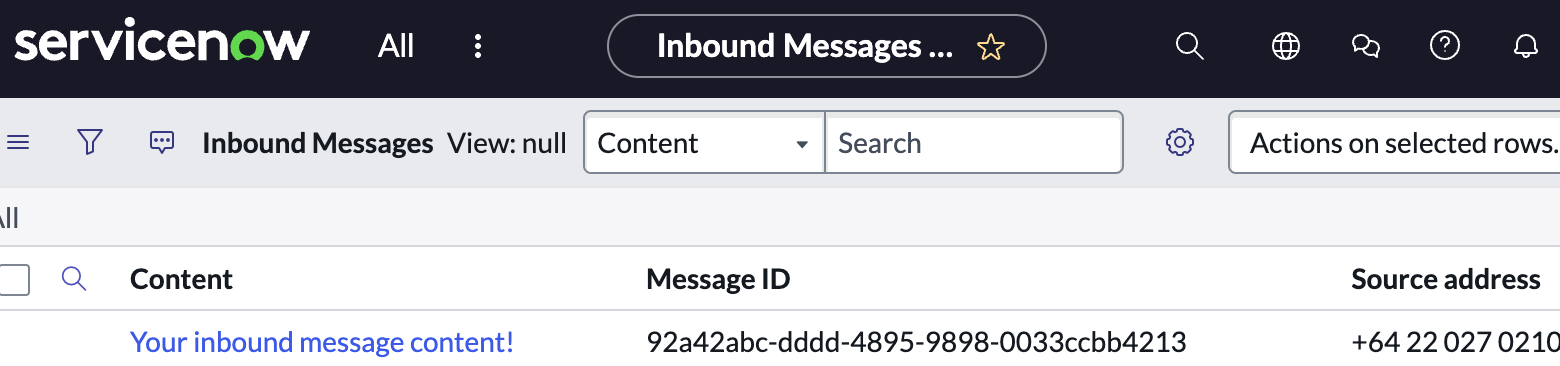
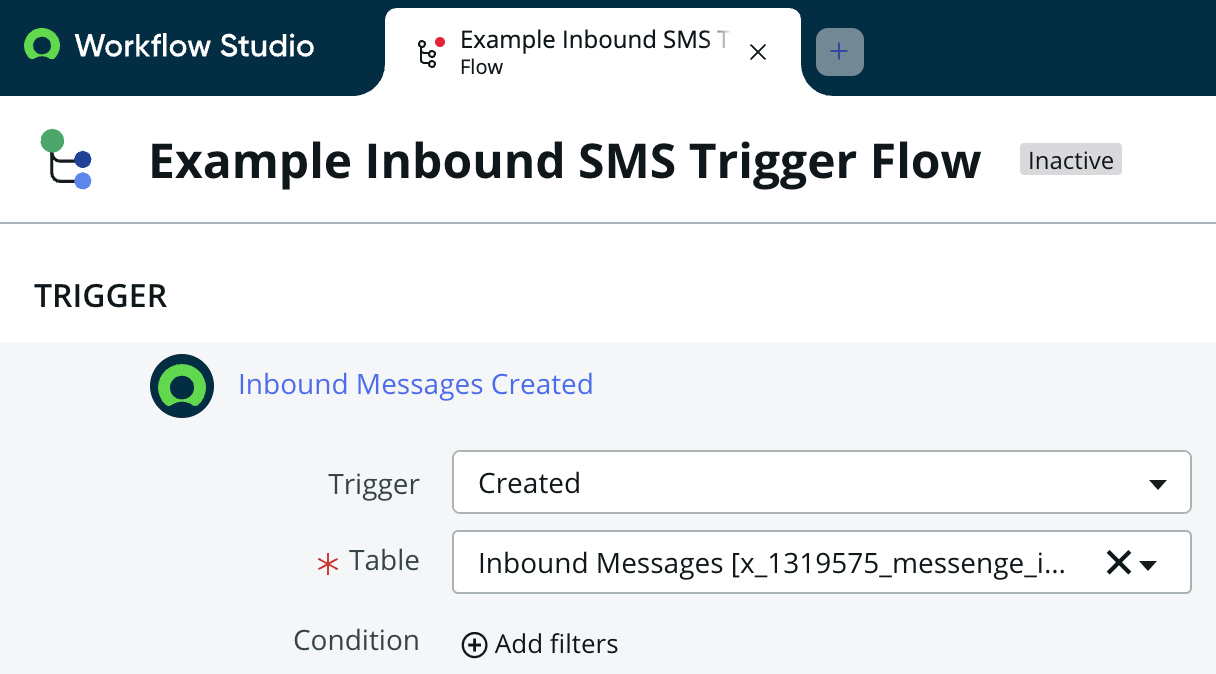
As with sending this table is accessible via script or flows with the table id x_1319575_messenge_inbound_messages allowing you to trigger actions upon receiving new messages such as adding a comment to the senders open incident or searching the data for a more advanced use case like stakeholder sentiment analysis.
Hub Reporting
The ServiceNow SMS connector integration provides metadata tags on your messages to make reporting on your ServiceNow messaging usage simple. In the Hub, navigate to 'detailed reports' and open the 'advanced filters' to reveal the 'metadata' filters. Here you can filter by the key-value pair of Source and ServiceNow as seen below which will extract just your ServiceNow created messages isolated from any other sending methods you may use like the Hub or email to sms. This reporting functionality works consistently across all supported vendors (Sinch Engage, MessageMedia, OneNZ MultiTXT, Spark eTXT, 2Degrees GroupText, TPG Telecom Messaging Hub, and Marquire telecom notify now), ensuring feature parity for ServiceNow messaging features. 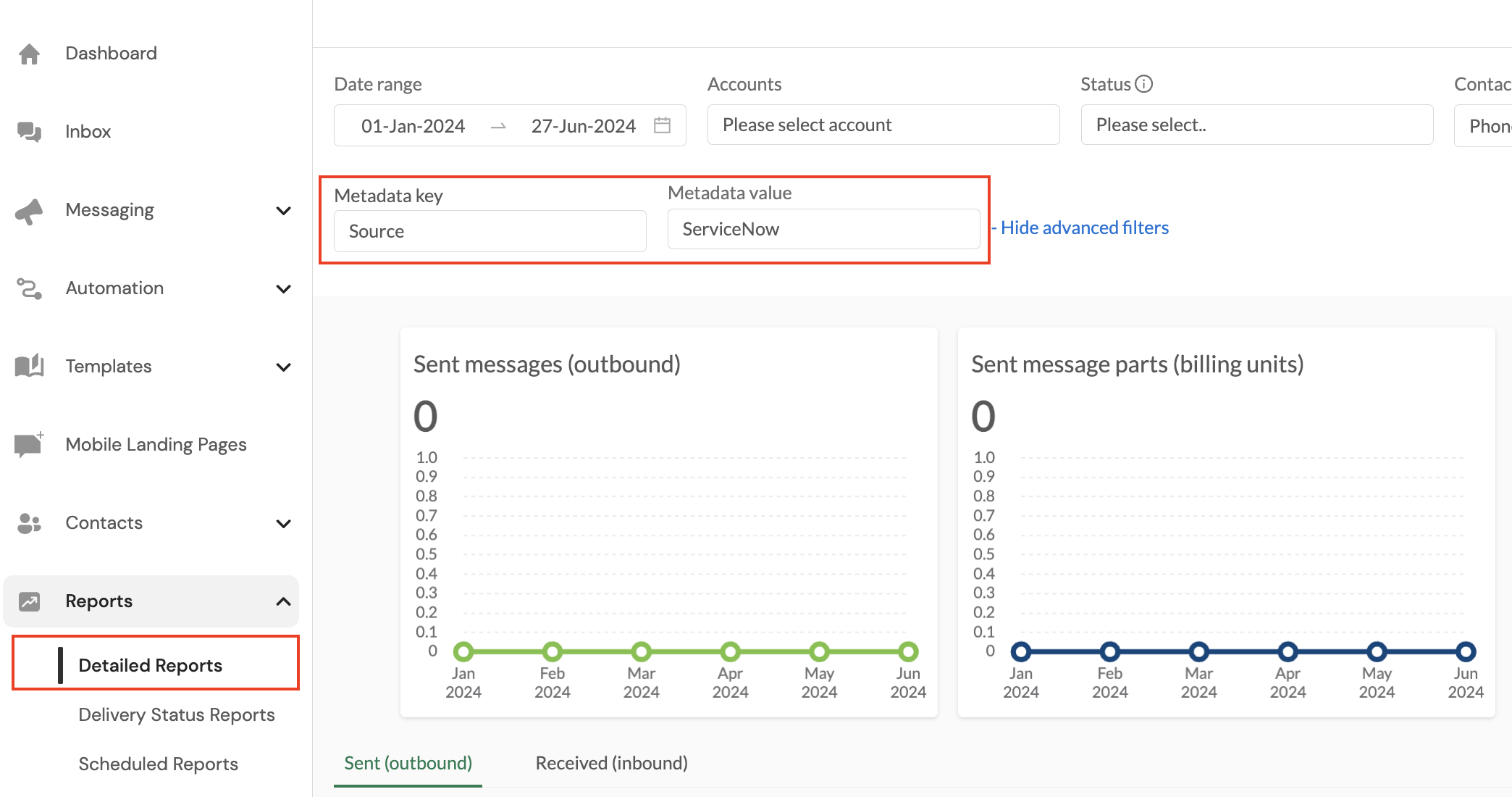
Related Topics
- Installation Guide - Learn how to install the ServiceNow SMS connector
- Authentication Setup - Configure API credentials for SMS integration
- Downloads - Get the latest update sets for the connector